
Blog
How to Create a Personal Learning Plan That Sticks
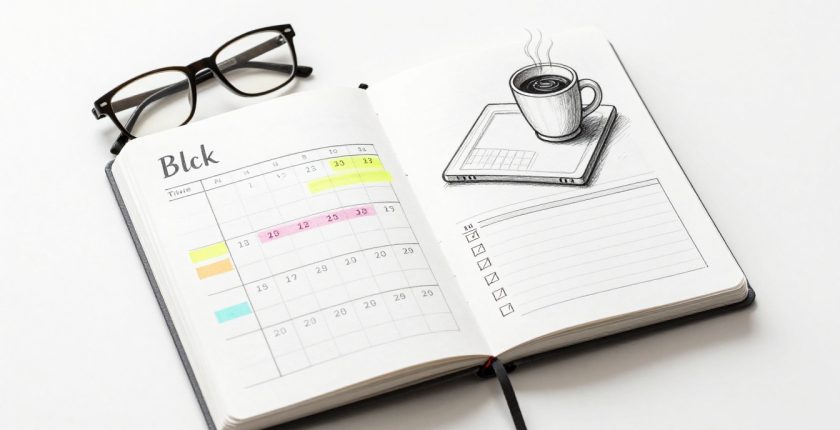
Online learning gives you flexibility, but it also asks you to fit classes around work, school, family, errands, and the need to rest. Without a clear system, even a course you care about can slide to the bottom of a crowded week.
A personal learning plan online turns good intentions into scheduled work. It combines a meaningful goal, realistic study times, milestones, evidence of progress, and a weekly reset. You can build it in a simple document, spreadsheet, calendar, or learning platform.
The strongest plan fits your actual life instead of an imaginary perfect week.
How to Create a Personal Learning Plan Online That Fits Your Life
A learning plan is more than a task list. It answers what you are learning, why it matters, when you will work on it, and how you will know you are improving.
Start with a quick time audit. Put fixed commitments on a weekly view first: classes, work shifts, commuting, meals, sleep, exercise, caregiving, family time, and downtime. Then look at the gaps that remain. Those gaps are your real study capacity.
Choose one main system you already check often. Google Calendar works well for protected time blocks, while Google Sheets can hold objectives, scores, and deadlines in one view. Microsoft Excel, Notion, a paper planner, or your school’s LMS can work just as well if you use it consistently.
Leave about 20% to 30% of your available study time open. Late work, sick days, difficult lessons, and family plans all need somewhere to go.
Set one clear SMART learning goal
Start with one outcome that matters. A SMART goal is Specific, Measurable, Achievable, Relevant, and Time-bound, a framework also outlined in the University of California’s SMART goal guide.
“Learn more about coding” leaves too much open. A stronger goal is: “Complete a beginner Python course and build a budget calculator by November 30.”
That statement gives you a subject, proof of completion, and a deadline. It also makes the next step easier to see. Begin with two or three major goals at most. A plan overloaded with new habits usually becomes a list of unfinished promises.
Break the goal into objectives, milestones, and tasks
Your goal is the destination. Objectives are the skills that show you are getting there. Milestones are checkpoints. Tasks are the small actions you can complete in one sitting.
For example, an Excel goal might include objectives such as using formulas, building charts, and cleaning a small data set. Milestones could be finishing three course modules and creating one workbook. Tasks might be “watch the formula lesson,” “complete 10 practice questions,” or “fix errors in the sales worksheet.”
Add a due date and a simple status beside each item: new, in progress, or secure. This prevents a familiar problem in online learning, spending every session on comfortable material because it feels productive.
A task such as “practice pivot tables for 40 minutes” gives you a starting point. “Study Excel” usually doesn’t.
Turn Your Online Learning Goals Into a Weekly Study Schedule
Work backward from firm dates, including assignment deadlines, exams, live sessions, or a certificate target. Put the deadline on your calendar, then reserve earlier blocks for learning, practice, and review.
The workload depends on your provider, course level, credit value, and prior knowledge. For context, Leeds Beckett University’s distance-learning guidance uses 10 to 14 study hours per week for a module, while other programs set different expectations. Your plan should follow your course requirements and your available time.
A realistic week might place new material on Monday and Wednesday, practice on Thursday, and a lighter review on Sunday. Schedule the hardest work during your highest-energy periods. Save flashcards, reading notes, or a short quiz for an evening when your focus is lower.
Use focused study blocks, breaks, and a repeatable routine
Avoid vague calendar entries such as “study math.” Instead, write “complete five algebra problems without notes” or “draft the introduction for history essay.”
Try 25 minutes of concentrated work with a short break when your day is crowded. For deeper work, use 45 to 60 minutes, then take a 10 to 15 minute reset. The exact length matters less than repeatability.
During longer breaks, stand up, eat, stretch, take a walk, or look away from the screen. Protect sleep and personal time as part of the plan. A schedule packed into every empty minute doesn’t leave room for attention, recovery, or change.
Build in an open study period
Reserve at least one lighter evening or open block each week. It can absorb a missed session, a lesson that took longer than expected, or a deadline that moved forward.
If you miss Tuesday’s block, move the task to that open period. Don’t try to make up three hours at midnight. A missed session is a planning issue, not evidence that the entire week has failed.
Google Calendar can make these adjustments less painful because you can drag sessions to a new time and set reminders. If you prefer a combined workflow, Google’s guide on creating Calendar events from a Google Sheet shows one way to connect planned dates with a spreadsheet.
Use Active Methods During Online Study Time
Time on a calendar only matters if you use it well. Watching videos, highlighting, and rereading can introduce a topic, but they do not reliably show what you can recall without help.
Use flashcards, self-quizzes, or blurting for vocabulary, facts, and definitions. For math and science, study one worked example, then solve similar questions on your own. Writing-heavy subjects benefit from essay plans, evidence checks, and timed responses. For hands-on skills, create a project, record a demonstration, or complete a practical exercise.
Return to important material several times across the week. Indiana University’s explanation of spaced practice describes it as learning over time with rest periods between sessions. Pair it with retrieval practice, which means trying to recall an answer before checking your notes.
A biology rhythm could look like this:
- Learn cell structures on Monday and make flashcards.
- Answer flashcard prompts from memory on Tuesday.
- Complete practice questions on Thursday.
- Use Sunday’s review to identify weak areas for next week.
That pattern exposes gaps early. It also keeps difficult material from being buried in one exhausting weekend session.
Choose Simple Online Tools to Track Learning Progress
A practical digital workflow has six parts: plan the week, block study time, complete the task, record evidence, reflect, and adjust. The tool should support that routine without becoming another assignment.
Use a calendar for time. Use a spreadsheet for objectives, due dates, quiz scores, and milestones. Use your LMS for instructor announcements, submissions, grades, and course activity when those features are available. If paper helps you focus, a notebook checklist is still a valid part of a personal learning plan online.
Keep a short evidence record
“Completed” is useful, but it is only the first layer. Track details that help you make better choices next week:
- Minutes spent on a task and the date you last reviewed it.
- Quiz or practice-problem scores.
- Confidence level, such as low, medium, or high.
- Milestones completed, including course modules and project drafts.
- Errors that appeared more than once.
A small mistake log is especially useful for technical subjects. Write the error, the correct approach, and the date you plan to revisit it. Over time, it gives you a map of what needs practice rather than a vague feeling of being behind.
Pick the platform you will actually open
Google Docs or Sheets work well for a lightweight plan. Microsoft Excel offers similar tracking for people who prefer formulas and offline files. Google Classroom, Seesaw, Sown To Grow, and built-in LMS dashboards can also help when they match your course setup.
Don’t split the same information across five places. Switching between apps, spreadsheets, and paper lists makes progress harder to see. Pick one home for your weekly plan, then use other tools only when they add a clear purpose.
If you need help using the basics, Google Workspace training resources include instruction for tools such as Calendar, Drive, and Sheets.
Review, Adjust, and Keep Your Plan Moving
A personal learning plan is a living guide, not a strict contract. Set aside 10 to 20 minutes at the end of each week to check what happened.
Look at completed tasks, upcoming deadlines, scores, and unfinished work. Move unfinished tasks into the next available slot, then give urgent or difficult topics priority. A simple weekly review keeps one disrupted day from turning into a disrupted month.
Use three brief prompts:
- What was difficult this week?
- What helped me learn?
- What will I change next week?
Celebrate completed milestones, whether that means finishing a module, earning a higher quiz score, or submitting a project you once avoided. Then reconnect the work to your bigger reason for starting: a degree, a career change, a skill you want to use, or personal curiosity.
Final Thoughts
A workable personal learning plan online starts with a meaningful SMART goal and breaks it into measurable steps. Put those steps into realistic time blocks, use active practice, record evidence, and review the plan each week.
Open your calendar or spreadsheet today, schedule the first focused study block, and leave space for real life. A plan that can bend is far more likely to last.